PlantUML Editor
Before this year ends, I released a PlantUML Editor Web App.
You can create:
- System & Domain diagrams
- Sequence diagrams
- Flow diagrams
and any other diagram supported by PlantUML.
If you work with system design, DDD, or diagram-as-code, this editor is designed to keep things simple and fast.
Diagram anywhere. Just open the browser!
Why I Built This
My daily work involves PlantUML almost every day. I designed classes, sequences, systems, flow, and any diagram in PlantUML.
Mostly, I used a web app from another site, but it contains ads. In the past, I used VS Code. In VS Code, I needed to install a VS Code extension of PlantUML and Graphviz (with Java) on my computer. Sometimes, I use Neovim with nvim-plantuml, and I needed to install plantuml on my computer.
I wanted an instant tool with no ads and no installation required. I wanted users to open a web browser, navigate to a specified location, generate PlantUML code, and immediately get the results. I wanted a tool that managed user diagrams, so users wouldn't have to save diagrams as local files. The user interface (UI) would be simple and unobtrusive.
Why PlantUML
You might be wondering why PlantUML, and not Mermaid? Mermaid is also excellent. It's simple, popular, and Markdown-friendly. I also used Mermaid in my article, Design Patterns with Go and TypeScript. I can say that if Mermaid is simple, then PlantUML is powerful. I think PlantUML is best suited for advanced or serious designs/diagrams.
How I Built This
Thanks to this library, https://github.com/plantuml/plantuml.js. This library allows PlantUML to be rendered directly in a web browser, without the need for a server. Without this library, this project probably wouldn't exist, and it's open-source, which is why I wanted to make it open-source as well.
Then, I added other features. I don't want to use this tool without these features.
- File Management System. This feature allows us to have multiple diagrams, and the tools manage the diagrams locally using the Web Storage API. So, the diagrams are secure.
- Responsive Layout with Mobile Tabs. I've made sure this tool provides a great experience even on mobile devices. On mobile devices, the two-pane view switches to a single pane with tabs: Code and Preview.
- Preview Panel Theme Toggler. Some people love a dark theme, and it has benefits. So, do not underestimate this feature. This feature only affects the Preview panel. It will turn the background black and invert the color of diagrams.
Let me tell you about the Code and Preview panel.
- The Code panel is not an ordinary textarea. It has line numbers and minimal syntax colors. It is an Ace code-editor.
- The Preview panel doesn't have a scroll bar. However, it allows you to zoom in and out and move the diagram, making it better than just having a scroll bar. Want to save the result as an image or PNG? Simply right-click the rendered diagram and select "Save Image As...".
Spec Kit vs BMad
In this AI era, I let the AI build the other features, with spec-driven development.
Spec-Driven Development (SDD) is a modern software development approach, especially for AI-assisted workflows, that emphasizes creating detailed, structured specifications before writing code, making specs the "source of truth" rather than just discarded notes. Instead of ambiguous prompts, we provide AI agents with comprehensive instructions, breaking down requirements into manageable tasks, which results in better quality, more complex, and consistent code.
The most popular SDD tools I know of are Spec Kit and BMad (the newest tool currently available). Let me share my experience using these tools to build this project. This is because the complexity of this project is moderate. It's not like other simple To Do apps like other tutorials out there.
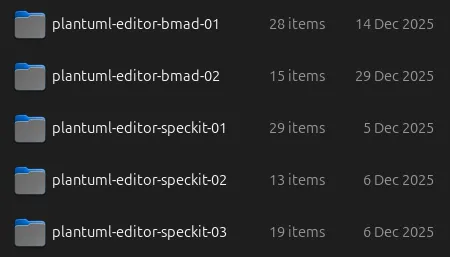
You can see from the screenshots above that I tried doing this with Spec Kit three times and BMad twice. I lost many AI tokens, but I learned from this experience.
The main reason why all of them have failed is that AI couldn't use PlantUML.js (or any tools that I let AI research by itself). So, the results, all of them, could not render the PlantUML perfectly, and that was crucial.
So, I initiated or coded the project by myself and let the AI do other features. With BMad v6, I did these with Quick Flow (/bmad:bmm:agents:quick-flow-solo-dev with Claude Code).
Hey Ari! Barry here, ready to ship some code. 🚀

What can I help you build today? Here's what I've got:

Menu:
1. [MH] Redisplay Menu Help
2. [CH] Chat with the Agent about anything
3. [TS] Architect a technical spec with implementation-ready stories (Required first step)
4. [QD] Implement the tech spec end-to-end solo (Core of Quick Flow)
5. [CR] Perform a thorough clean context code review (Highly Recommended, use fresh context and different LLM)
6. [PM] Start Party Mode
7. [DA] Dismiss Agent

What do you need? Just give me a number or describe what you're after.
At the 6th try (3rd for BMad), because I initiated the code, Quick Flow is a perfect choice. What I need is go to step 3 (Architecture), then 4 (Develop Story), then 5 (Code Review).
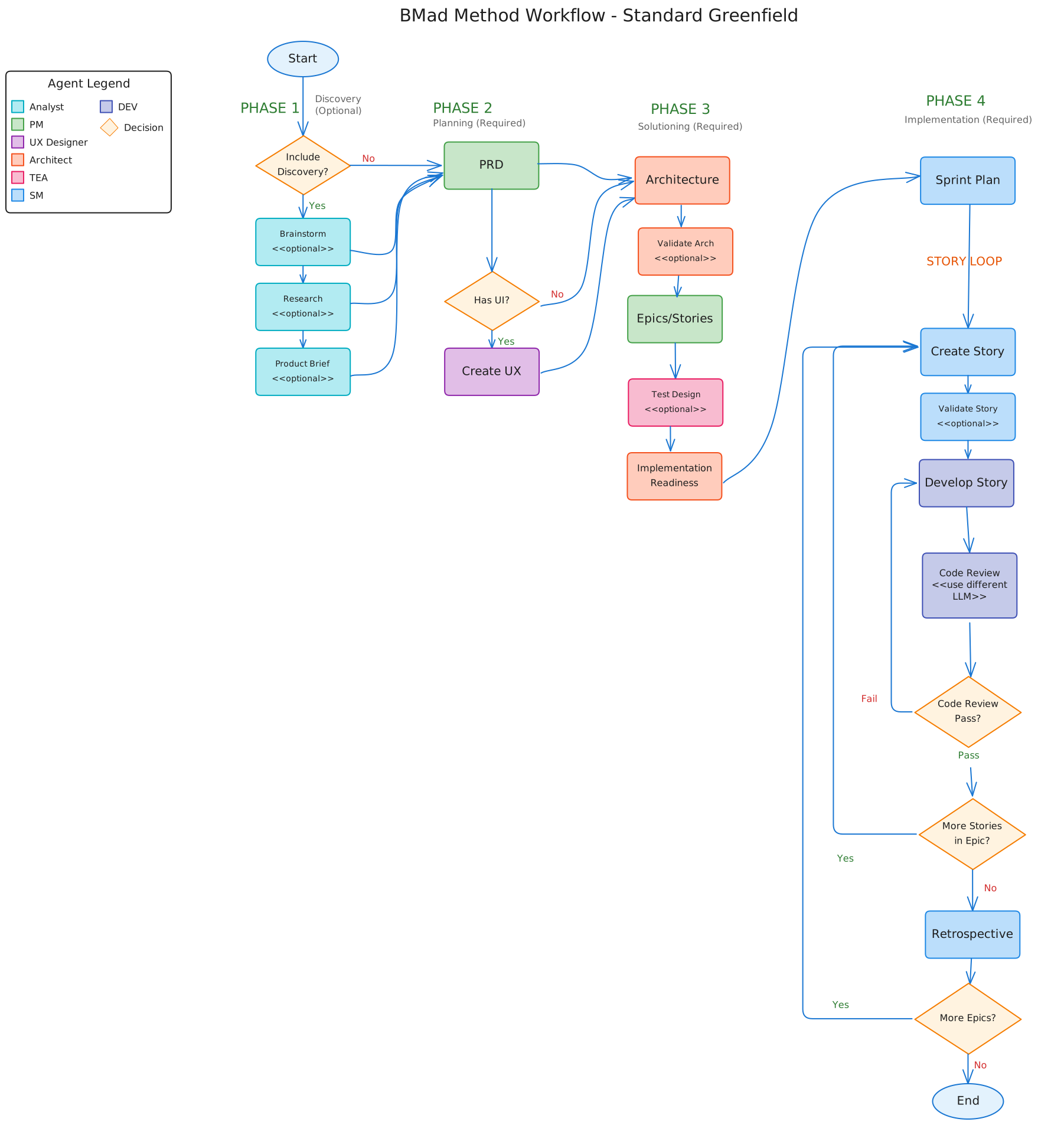
I've tried all BMad paths (including Enterprise and BMad Method), and I can say that BMad is excellent because it mimics Scrum/Sprint. We talk to a specific agent, create specifications, and let the developer agent do its work. We're not forced to execute every step. BMad encourages us to execute a step with a new context; we can do this with /clear or close the session and open a new one (I prefer this). So, if you get stuck on a step, you can continue later, and the AI doesn't lose its context. From these points, we can see that BMad is compatible with most types of projects. Whether you're starting a project with just an idea or fixing a small bug in an existing project.
I didn't say the Spec Kit wasn't good. Spec Kit introduced SDD to me. I applied Spec Kit to a few of my commercial projects. But I think Spec Kit is too waterfall. As an example, can we skip /speckit.specify and jump to the /speckit.plan? Another point is the lack of best practice instructions, which triggered debates among developers (I had this experience). E.g., should we run through all steps (Specify, Plan, Tasks, and Implement) of the Spec Kit in a single session or multiple sessions (like BMad)? Is it recommended that we add some tasks to the existing tasks.md (/speckit.tasks add credit to the footer, add this task to the existing tasks)? Is it recommended that we implement tasks per phase (/speckit.implement phase 1 only) because doing all tasks will result in losing context (context will be compacted)?
Contribute
Feel free to contribute, report a bug, or request a feature at https://github.com/aristorinjuang/plantuml-editor/issues.